Kaseya 365 Endpoint Pro: Getting started with Kaseya MDR
Kaseya MDR is the managed detection and response solution included with Kaseya 365 Endpoint Pro.
This article explains how to access Kaseya MDR through KaseyaOne, how authentication works in a Kaseya 365 context, and how to confirm that the platform is ready for use.
Kaseya MDR is included only with the Kaseya 365 Endpoint Pro subscription. If your organization uses Kaseya 365 Endpoint Express, Kaseya MDR is not included.
If you are activating Kaseya MDR and may link it to SaaS Alerts or Kaseya SIEM, see Getting started with Kaseya MDR as a SaaS Alerts, Kaseya SIEM, or MDR-only user. If you are an existing RocketCyber user, see Getting started with Kaseya MDR as a RocketCyber user.
Kaseya 365 subscriptions follow a shared onboarding model coordinated through KaseyaOne and the Kaseya 365 Setup Guide. This article focuses specifically on how those steps apply to Kaseya MDR.
What this guide is for
This guide helps you:
-
Access Kaseya MDR through KaseyaOne
-
Understand how authentication and multi-factor authentication (MFA) may be required during first access
-
Confirm that you can successfully access the platform
-
Verify that core areas are available before beginning investigations
This guide does not cover alert investigation, response actions, detection tuning, or professional services engagement.
Start from KaseyaOne (Kaseya 365 entry point)
When Kaseya MDR is part of a Kaseya 365 subscription, KaseyaOne is your starting point. KaseyaOne is the central hub where you manage subscriptions and access your Kaseya 365 products.
After purchasing Kaseya 365, the designated implementation contact receives Welcome to Kaseya 365 onboarding emails with instructions for accessing KaseyaOne and beginning setup.
Use the activation or login instructions provided in those emails to sign in to KaseyaOne and open the Kaseya 365 Setup Guide.
If you are not the implementation contact
KaseyaOne Admin users can also perform most onboarding tasks. Log in directly to KaseyaOne and select Kaseya 365 Setup Guides from the side navigation menu.
NOTE Activation of newly provisioned modules is limited to the designated implementation contact. Once modules are activated, Admin users can complete the remaining onboarding steps.
Understanding Kaseya 365 onboarding emails
During Kaseya 365 onboarding, the subscription’s implementation contact receives multiple Welcome to Kaseya 365 emails. These emails support different parts of onboarding and are sent separately.
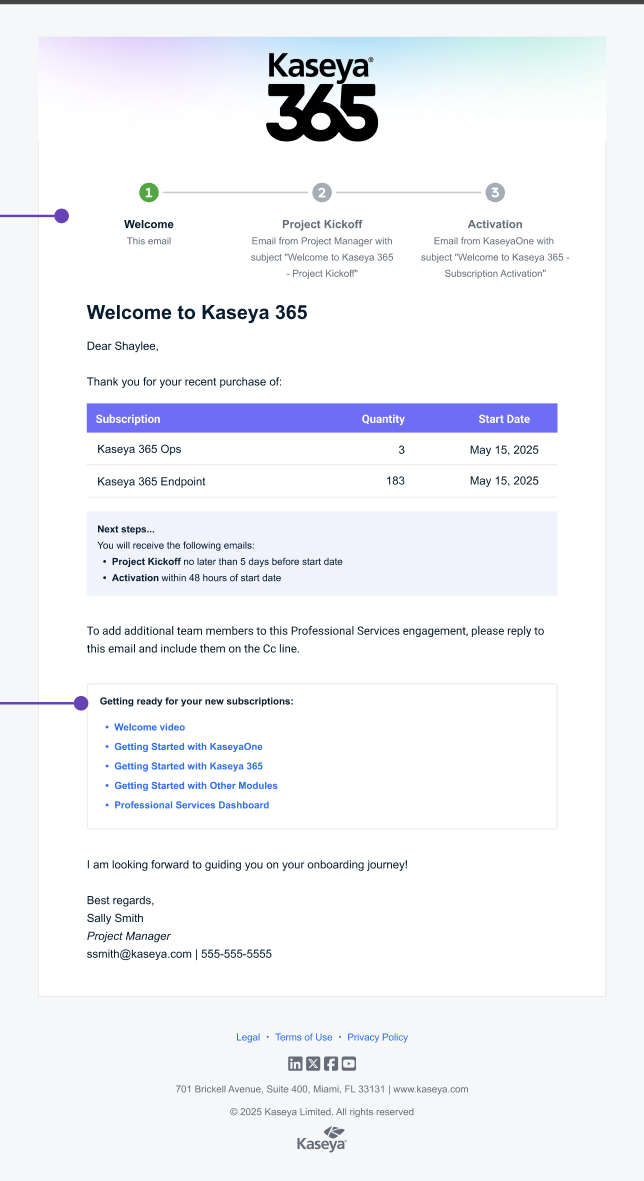
Welcome email (subscription confirmation)
The initial Welcome to Kaseya 365 email confirms your purchase and provides an overview of your subscription.
This email includes:
-
A summary of subscribed products and quantities
-
Start dates
-
Links to introductory resources
-
A Next steps... section describing upcoming onboarding communications
This email does not provide access to KaseyaOne.
Project Kickoff email (onboarding coordination)
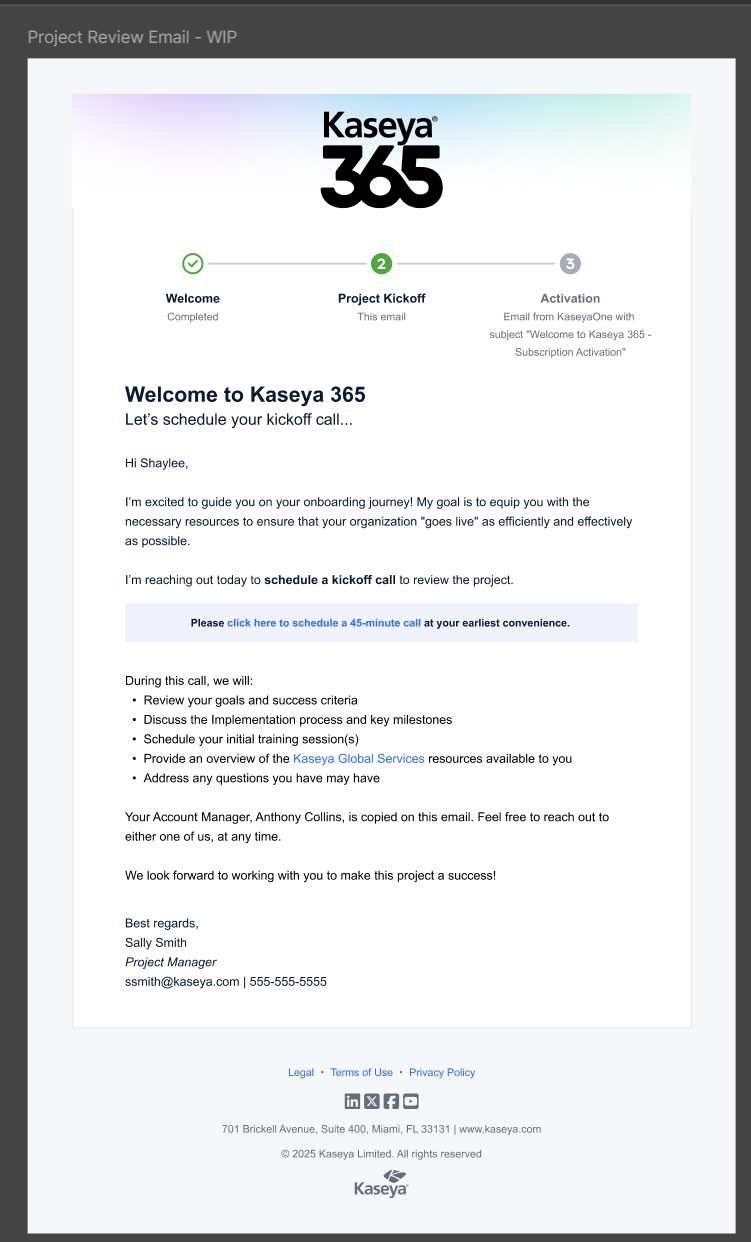
A separate email may be sent to coordinate onboarding activities.
This email may include:
-
A request to schedule a kickoff call
-
Information about onboarding scope and milestones
-
Contact details for your Project Manager
This email does not activate KaseyaOne or affect access to Kaseya MDR.
Activation email (KaseyaOne access)
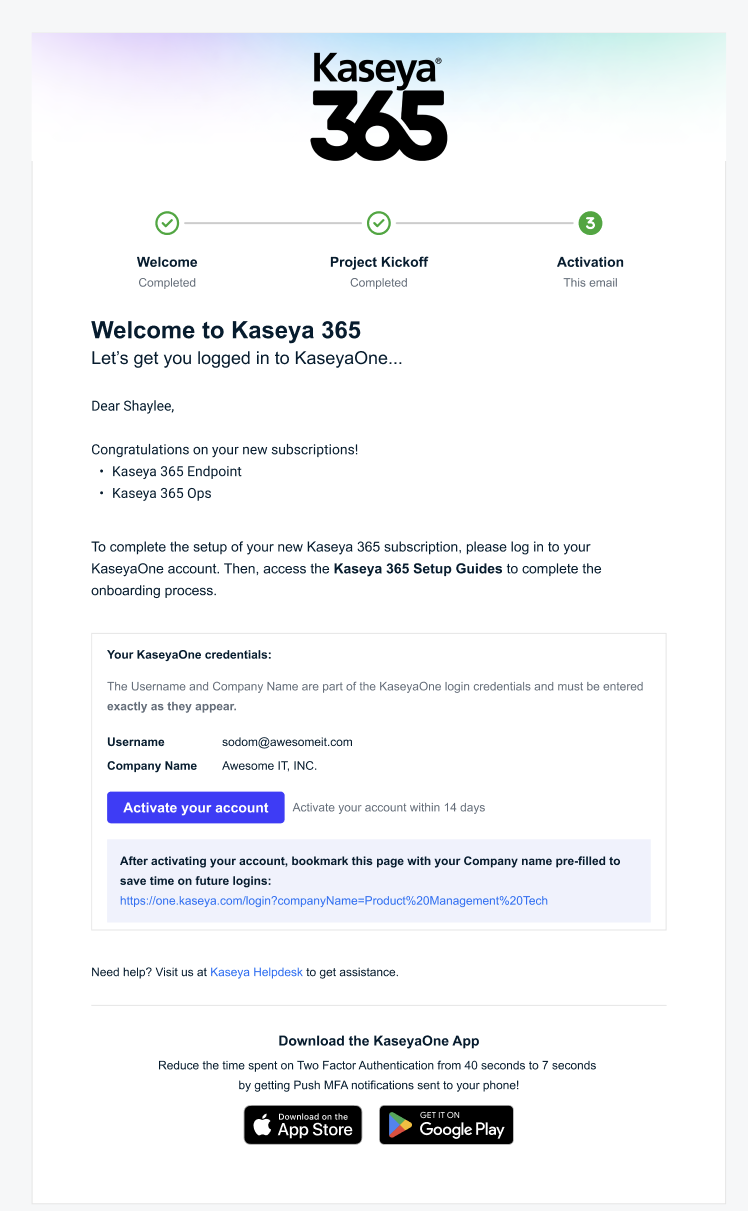
A separate activation email provides access to KaseyaOne.
Depending on your account status, this email includes one of the following:
-
Activate your account, if KaseyaOne has not been set up
-
Log in to KaseyaOne, if an account already exists
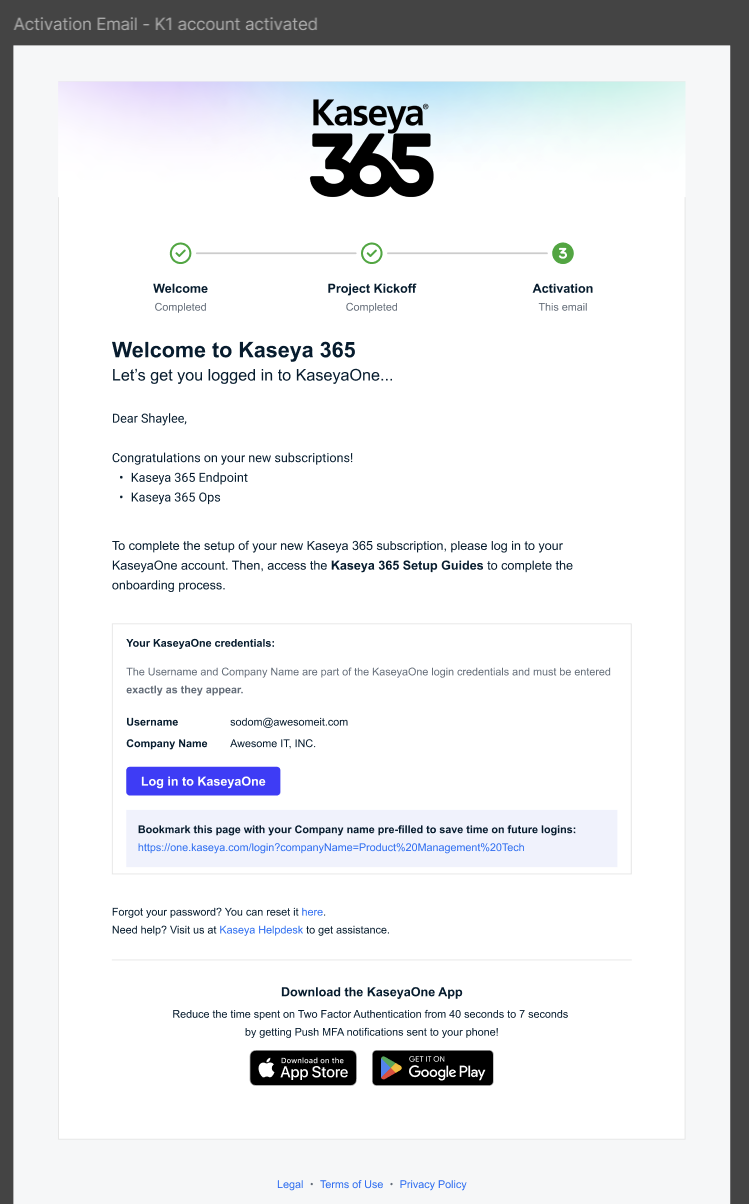
Selecting either option signs you in to KaseyaOne and directs you to the Kaseya 365 Setup Guide.
Using the Kaseya 365 Setup Guide
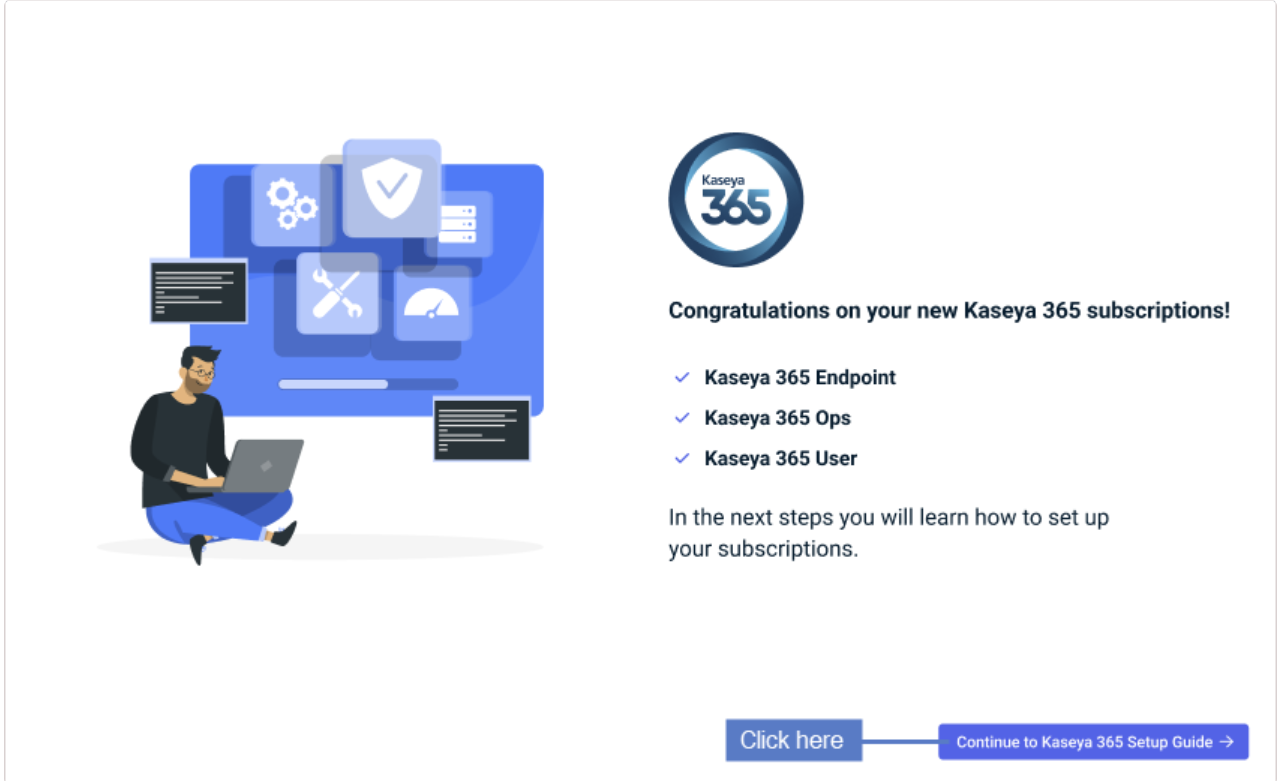
After logging in to KaseyaOne, you are greeted by the Congratulations on your new Kaseya 365 subscriptions! page. Proceed by clicking Continue to Kaseya 365 Setup Guide.
The Kaseya 365 Setup Guide provides a subscription‑level view of onboarding for your Kaseya 365 modules. It is the recommended way to activate modules, enable Unified Login, and track onboarding progress.
Depending on how your subscription is configured, different users may be responsible for different steps:
-
The implementation contact activates newly provisioned modules
-
KaseyaOne Admin users can complete most remaining onboarding steps after activation
If you do not see an activation option for a module, it may be assigned to another implementation contact.
If the Kaseya 365 Setup Guide is not visible, you can still complete onboarding tasks directly from the KaseyaOne navigation menu and within each module.
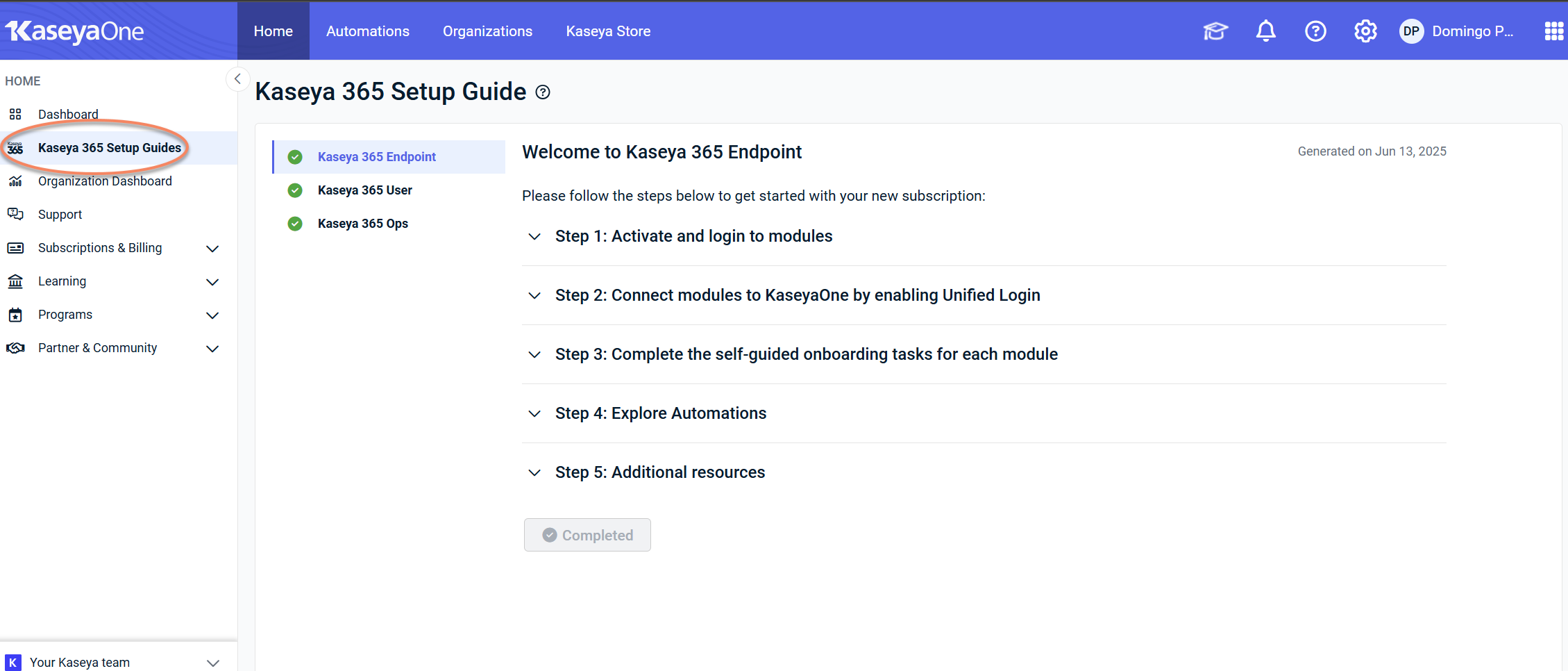
 Step 1: Activate and log in to modules
In Step 1, you activate newly provisioned modules and log in to existing ones.
For Kaseya MDR:
-
Click Kaseya 365 Endpoint Pro.
-
Locate the Kaseya MDR tile.
-
Click Activate.
-
Follow the on-screen prompts (for example, setting a password or accepting terms of service).
Once activation is complete, Kaseya MDR becomes available to launch from KaseyaOne.
Step 2: Connect modules to KaseyaOne by enabling Unified Login
In Step 2, you configure Unified Login (also described as Log in with KaseyaOne) for modules in your subscription so users can access modules using a single set of credentials.
For Kaseya MDR:
-
Locate Kaseya MDR in Step 2.
-
Review its status:
-
If Unified Login is not enabled, click How to set up Unified Login under Instructions and follow the steps provided.
-
If Unified Login is already enabled, no further action is required for that step.
-
Once Unified Login is enabled, Kaseya MDR will be marked as Enabled.
Depending on your configuration, users may still be able to sign in locally unless Require Log In with KaseyaOne is enforced.
Step 3: Complete the self-guided onboarding tasks for each module
In Step 3 of the Kaseya 365 Setup Guide, you complete self-guided onboarding tasks within each module.
For Kaseya MDR, these tasks help you become familiar with the interface, understand where key features are located, and review available configuration options before beginning investigations.
After opening Kaseya MDR for the first time, onboarding may start automatically. You can also access onboarding at any time using the graduation cap icon in the upper-right corner of the application.
For detailed guidance on completing onboarding tasks, see Getting started with self-guided onboarding tasks.
Step 4: Explore automations
Step 4 introduces automations available across your Kaseya 365 subscription.
Automations connect Kaseya MDR with other modules to support monitoring, reduce manual effort, and streamline workflows.
Exploring automations is optional and does not affect your ability to access or use Kaseya MDR.
To learn more, use the following links:
-
Explore Automations: Opens the Automation Center in KaseyaOne, where you can browse and review available integrations and automation workflows
-
Best practices for integrating Kaseya modules: Provides guidance on managing integrations, enabling Unified Login, and using Automation Center to discover and configure workflows
Step 5: Additional resources
Step 5 provides access to additional learning resources for your Kaseya 365 subscription.
These resources may include:
-
Knowledge Base articles
-
Kaseya University training
-
Professional Services information
-
Webinars and learning series
Using these resources is optional and does not affect your ability to access or use Kaseya MDR.
Use the links in the Setup Guide to explore topics relevant to your environment and onboarding needs.
About automations and integrations
When Kaseya MDR is included in a Kaseya 365 Endpoint Pro subscription, it operates alongside other endpoint security and management components.
Some integrations and automations may already be available depending on your environment and previously configured modules.
These integrations are used to:
-
Share telemetry across modules
-
Enhance detection and investigation context
-
Support automated workflows across the Kaseya platform
For a detailed overview of Kaseya 365 Endpoint components and the full set of available automations and integrations, see About Kaseya 365 Endpoint.
Troubleshooting
I did not receive a “Welcome to Kaseya 365” email
Confirm that you are the subscription’s implementation contact, as onboarding emails are sent to that role.
If you are a KaseyaOne Admin user on the subscription, you can also sign in directly to KaseyaOne and access the Setup Guide from the side navigation menu.
My activation links expired
Activation links expire within seven days of receiving the onboarding email.
If the links have expired, follow your organization’s standard support or escalation process to request reactivation.
I can access KaseyaOne, but I don’t see the Setup Guide
If you are not automatically directed to the Kaseya 365 Setup Guide after signing in, locate it in the side navigation menu in KaseyaOne.
If the Setup Guide is not visible, your access or role may not include onboarding responsibilities. Contact your implementation contact or administrator for assistance.
Related articles
-
Unified Login with KaseyaOne: Explains how Unified Login affects authentication, MFA enforcement, and sign‑in behavior when accessing Kaseya MDR through KaseyaOne
-
Securing your account with two‑factor authentication (2FA): Shows how to enable and manage 2FA for Kaseya MDR and explains how authentication requirements affect response and automation capabilities
-
Managing organizations: Explains how organizations are created, scoped, and managed in Kaseya MDR once access is established in a standalone environment
-
Connecting data sources and integrations: Describes how to connect endpoints, SaaS applications, and other data sources so telemetry can begin flowing into Kaseya MDR
-
How Kaseya MDR works: Introduces the core mental models behind alerts, investigations, and response so you understand how the platform behaves before day‑to‑day use
-
Using Kaseya MDR: Provides guidance for reviewing alerts, investigating activity, managing signal and noise, and using response capabilities once onboarding is complete


