Global defaults and organization overrides
Kaseya MDR uses a global default + organization override configuration model across multiple administrative settings. This model defines how baseline behavior is applied consistently across organizations, while still allowing scoped exceptions for specific organizations.
This model is the most common reason two organizations behave differently inside the same MDR tenant.
This article explains:
-
Why a change affects multiple organizations in some cases but only one organization in others
-
Why new organizations inherit settings automatically
-
Which Settings areas support organization‑specific overrides
Common questions this article answers include:
-
Why do two organizations behave differently in the same MDR tenant?
-
How do global defaults differ from organization overrides?
-
Why did a change affect all organizations instead of just one?
-
How can I tell whether a setting is inherited or overridden?
The global default + organization override model
A global default is the baseline configuration intended to apply across organizations unless a scoped exception exists.
An organization override replaces the global default for that organization only.
This model is used to:
-
Standardize baseline behavior across organizations
-
Reduce duplicated configuration effort
-
Make deviations (exceptions) easier to identify and govern
Settings surfaces
The global default vs. organization‑override model is surfaced through the Settings experience in Kaseya MDR, where administrative configuration is centralized to make baseline behavior and scoped exceptions easier to understand and govern.
Common Settings that use this model include the following:
-
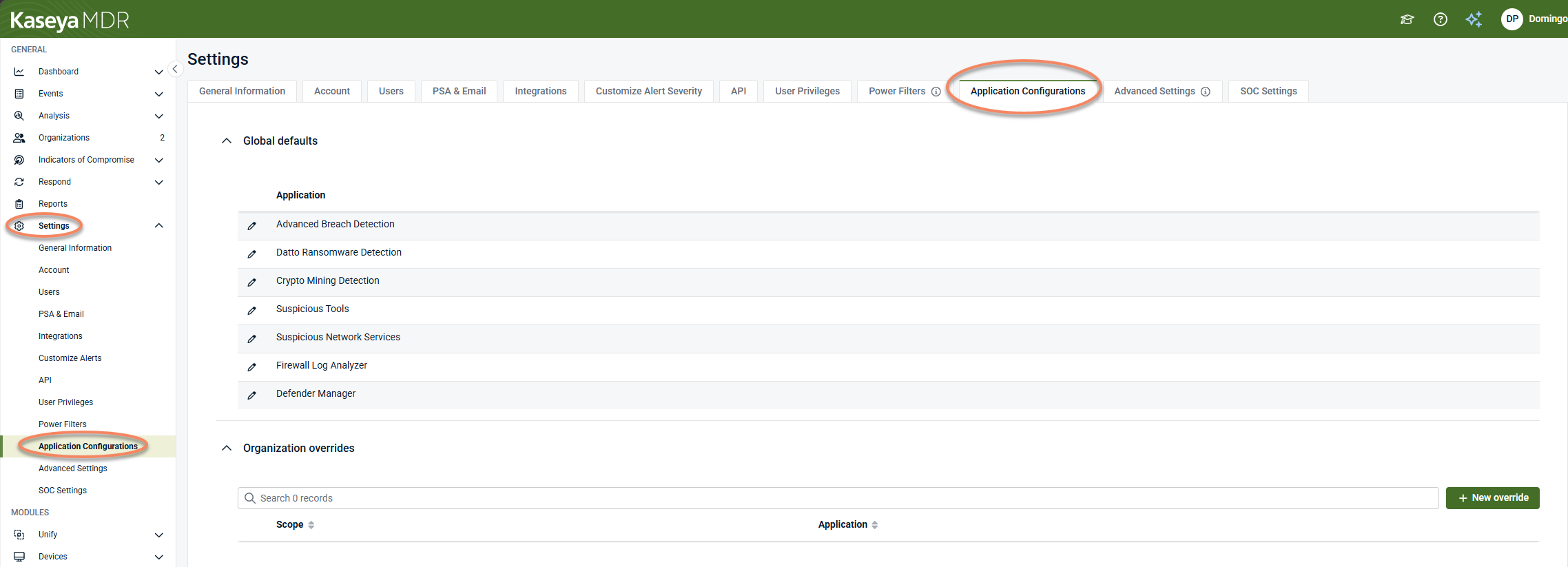
Settings > Application Configurations (global defaults and organization overrides)
-
Settings > Advanced settings (agent behavior governed through global defaults and organization overrides)
-
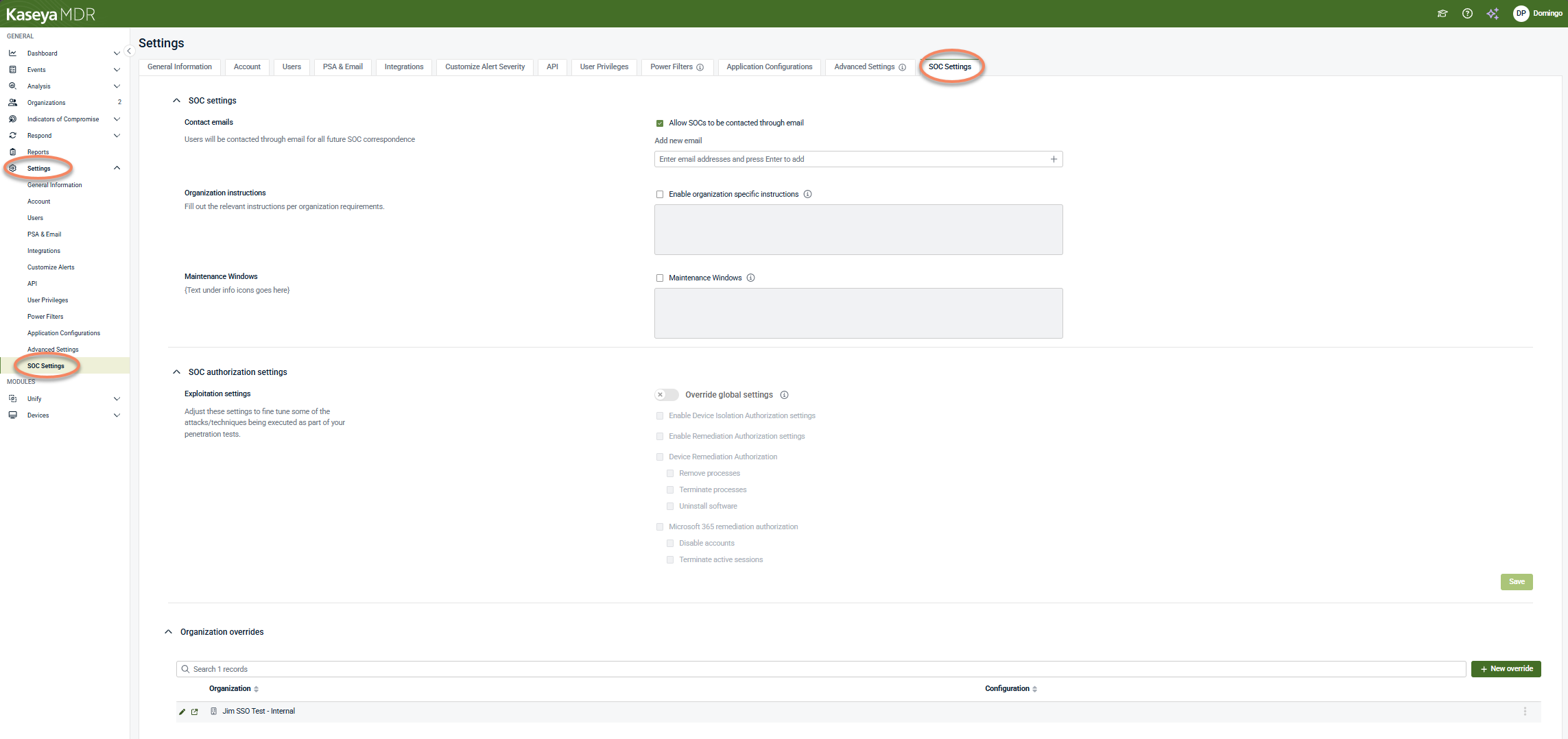
Settings > SOC settings (organization‑specific SOC context and authorization, where SOC involvement is enabled)
-
Settings > Power Filters (visibility governance managed in Settings)
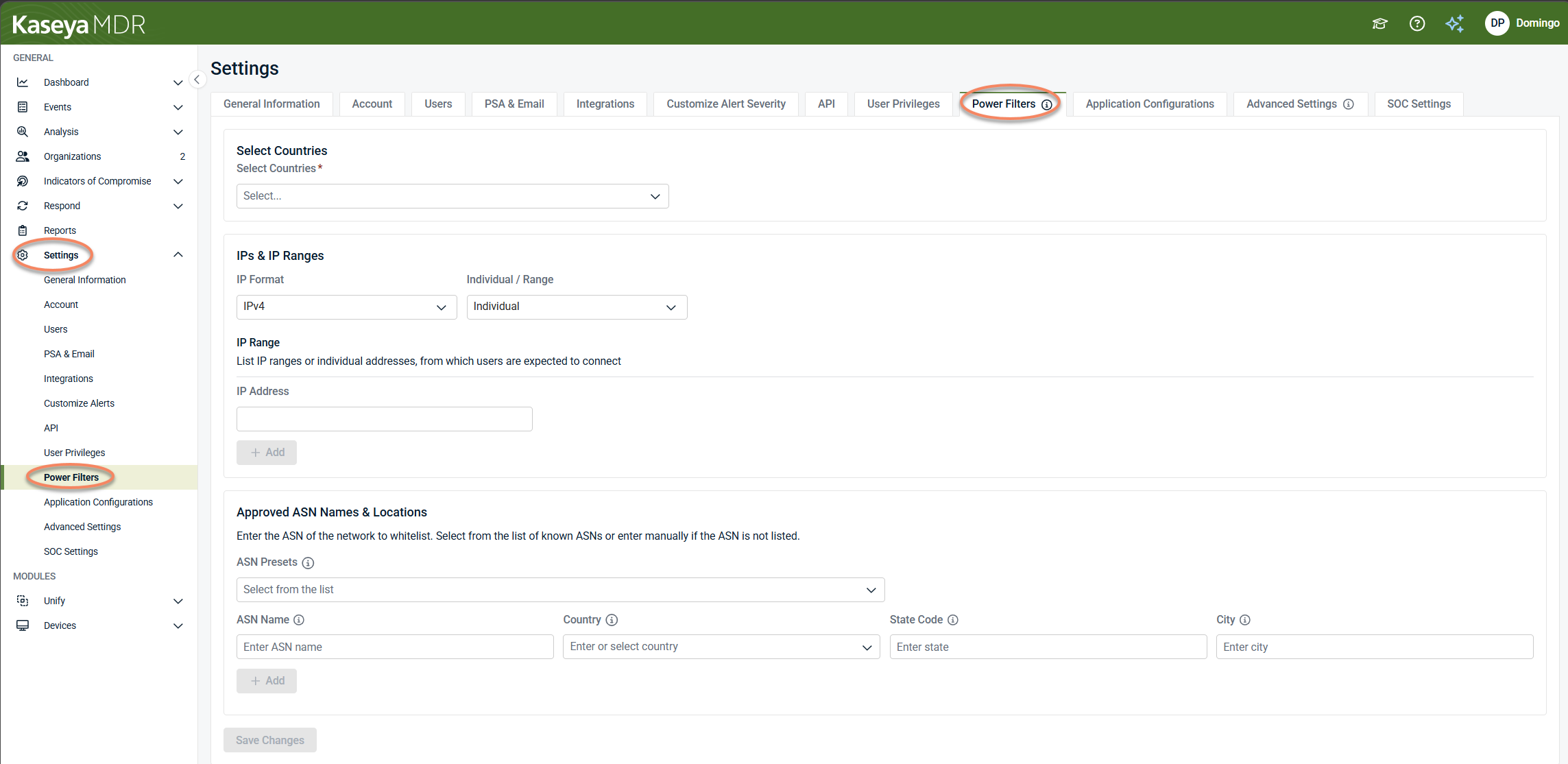
Administrative configuration in Kaseya MDR is centralized under Settings, where baseline behavior and organization‑specific exceptions are managed.
Global defaults vs organization overrides (summary)
| Configuration area | Settings location | Global default behavior | Organization override behavior |
|---|---|---|---|
| Application configurations | Settings > Application Configurations | Baseline ingestion, normalization, and detection behavior applies across organizations unless overridden | Organization-specific configuration replaces the global default |
| Advanced settings (agent behavior) | Settings > Advanced settings | Agent resource usage and behavior apply at the global default level unless overridden | Organization‑specific agent behavior replaces the global default |
| SOC settings | Settings > SOC Settings | Default SOC communication preferences and authorization boundaries apply | Organization‑specific SOC instructions or authorization boundaries apply where explicitly enabled |
| Power Filters | Settings > Power Filters | Visibility governance shapes which events and alerts are surfaced for investigation | Organization‑specific allowlisting refines surfaced visibility |
NOTE This table summarizes scope behavior. The exact options differ by Settings area, but the governing model—baseline vs exception—is consistent.
Inheritance model
The inheritance model is consistent across Settings areas that support it.
When a new organization is created:
-
It inherits global defaults automatically
-
No organization‑specific configuration exists until an override is created
Once an organization override exists:
-
The organization no longer inherits the global default for that setting
-
Behavior for that organization is determined by its override configuration
If no override exists, the global default continues to apply.
What organization overrides do—and do not do
Organization overrides do:
-
Replace global defaults for a specific organization
-
Allow legitimate environmental differences to be addressed
-
Support governance by making exceptions visible and reviewable
Organization overrides do not:
-
Automatically propagate to other organizations
-
Change MSP user roles, permissions, or organization visibility
-
Replace or override Security Operations Center (SOC) detection logic
-
Affect how the SOC evaluates alerts, investigates activity, or performs response actions
-
Suppress alerts or investigations by themselves
Overrides affect configuration scope, not security outcomes, by default.
Using organization overrides
Use organization overrides when:
-
An organization has documented operational differences
-
Baseline behavior produces undesirable results only for that organization
-
Regulatory, environmental, or business requirements justify an exception
Avoid organization overrides when:
-
The change should apply broadly across organizations
-
The issue can be addressed by adjusting the global default
-
Visibility or noise reduction can be handled using Power Filters instead
Diagnostic patterns: identifying scope‑related behavior differences
Use the patterns below to determine whether a behavior difference is caused by a global default or an organization‑level override, and which Settings area is most likely involved.
Behavior differs between organizations
Observed pattern: Two organizations show different ingestion results, alert volume, correlation behavior, or agent resource usage.
Likely explanation: An organization‑level override exists for one organization, while others continue to inherit the global default.
Settings areas to review
-
Settings > Application Configurations
-
Settings > Advanced settings
-
Settings > SOC settings
Change affects all organizations
Observed pattern: A configuration change impacts multiple organizations at once, including newly created organizations.
Likely explanation: The change was applied at the global default level.
Settings areas to review
-
Settings > Application Configurations
-
Settings > Advanced settings
-
Settings > SOC settings
Behavior persists after reverting a change
Observed pattern: A setting appears reverted, but one organization continues behaving differently.
Likely explanation: An organization‑level override remains in place, so the organization is no longer inheriting the global default.
Settings areas to review
-
Settings > Advanced settings (baseline and reset‑to‑default controls)
-
Settings > Application Configurations (organization‑specific configuration)
Visibility differs without ingestion changes
Observed pattern: Events or alerts appear reduced for one organization, but underlying data is still ingested.
Likely explanation: Visibility governance is affecting surfaced results, not ingestion or detection logic.
Settings areas to review
-
Settings > Power Filters
SOC handling differs between organizations
Observed pattern: Similar activity receives different SOC handling across organizations.
Likely explanation: Organization‑specific SOC context or authorization boundaries exist where SOC involvement is enabled.
Settings areas to review
-
Settings > SOC settings
Common misunderstandings about configuration scope
Confusing global defaults with organization overrides
-
Expecting an organization‑specific change to affect all organizations, or
-
Expecting a global change to affect only one organization
Why this happens: Changes made at different scopes behave differently by design.
Guidance: Confirm whether a change is being applied at the global default level or as an organization override before expecting its impact.
Reverting a setting without removing the override
A setting appears reverted, but one organization continues behaving differently.
Why this happens: The organization still has an override in place and is no longer inheriting the global default.
Guidance: Review organization‑specific configuration to confirm whether an override remains.
Using Power Filters to change detection behavior
Adjusting Power Filters with the expectation that ingestion, detection, or correlation will stop.
Why this happens: Power Filters control visibility, not ingestion, detection logic, or correlation.
Guidance: Use Power Filters to manage surfaced results and investigation focus, not to disable detection behavior.
Assuming SOC behavior is identical across organizations
Expecting identical SOC handling for similar activity across organizations.
Why this happens: SOC involvement and authorization can vary by organization where SOC settings are enabled.
Guidance: Review organization‑specific SOC context when SOC handling differs.
Governance best practices
To manage global defaults and organization overrides safely:
-
Start with global defaults wherever possible
-
Use organization overrides sparingly and intentionally
-
Document why each override exists
-
Review overrides periodically
-
Coordinate changes that affect SOC interaction with relevant stakeholders
This approach helps maintain consistency while preserving flexibility.
Related articles
These articles provide setting‑specific guidance that builds on the global default + organization override model described above:
-
Application configurations: Explains how application‑level configuration defines baseline ingestion and detection context
-
Power Filters and allowlisting logic: Describes how visibility can be refined without changing detection logic
-
Advanced agent settings and organization overrides: Defines how agent behavior is governed using the same global default + override model
-
Configuring SOC settings: Covers how SOC communication preferences and authorization boundaries can be overridden per organization


