Integration: Kaseya MDR and SentinelOne
 Security and navigation
Kaseya MDR
NAVIGATION Organizations > Edit Organization > + New Application
PERMISSIONS Access to edit organizations and add integrations in Kaseya MDR
SentinelOne
NAVIGATION Navigation path goes here
PERMISSIONS Required permissions go here
Overview
The SentinelOne integration connects your SentinelOne environment to Kaseya MDR to make endpoint threat data available for monitoring and investigation within MDR.
Prerequisites
-
Active SentinelOne account
-
Access to the SentinelOne Cloud console
-
Permissions to create service users and API tokens
-
SentinelOne API token
-
SentinelOne API domain URL
Use case
You are using SentinelOne to monitor endpoint activity and want those threats to be visible in Kaseya MDR. After configuring the integration, SentinelOne threat data is available in MDR, where it can be reviewed alongside other data sources and included in investigation workflows.
How to...
Set up the integration in Kaseya MDR
To enable the integration, complete the following steps:
-
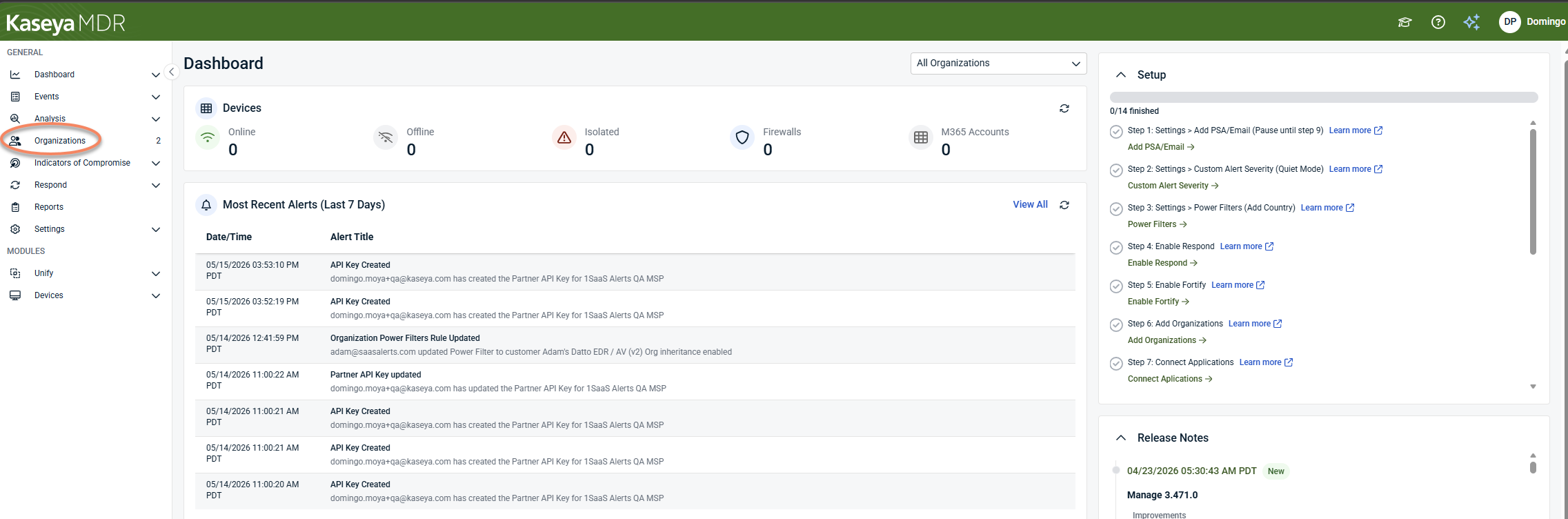
In Kaseya MDR, go to Organizations.
-
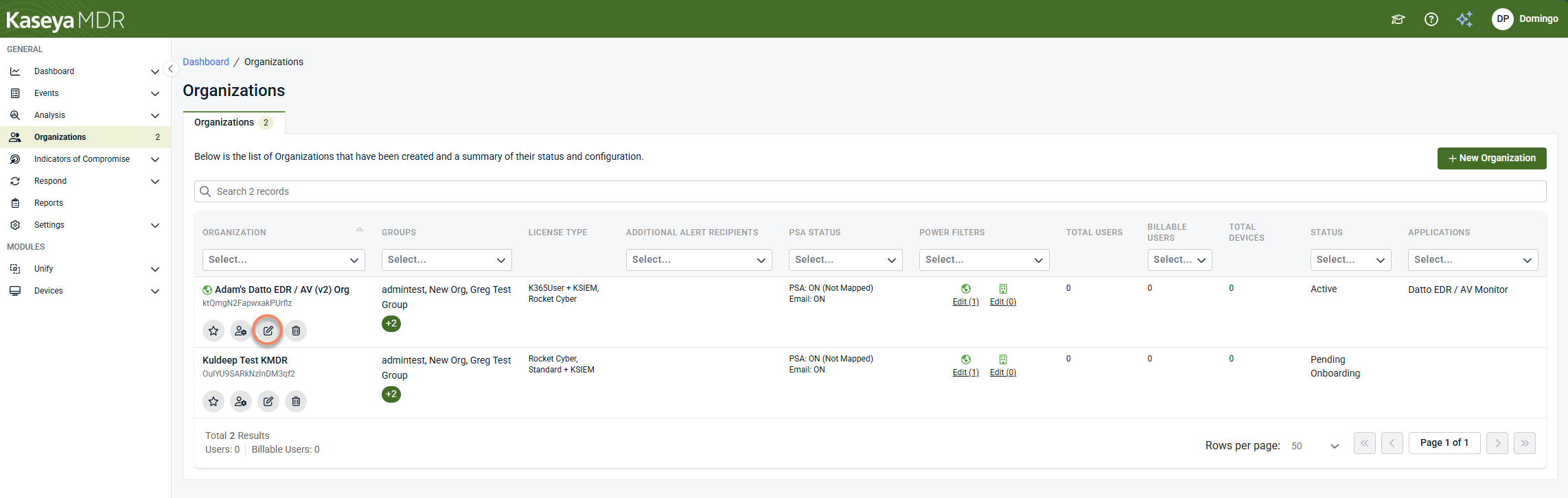
Select the organization you want to configure.
-
Click Edit Organization.
-
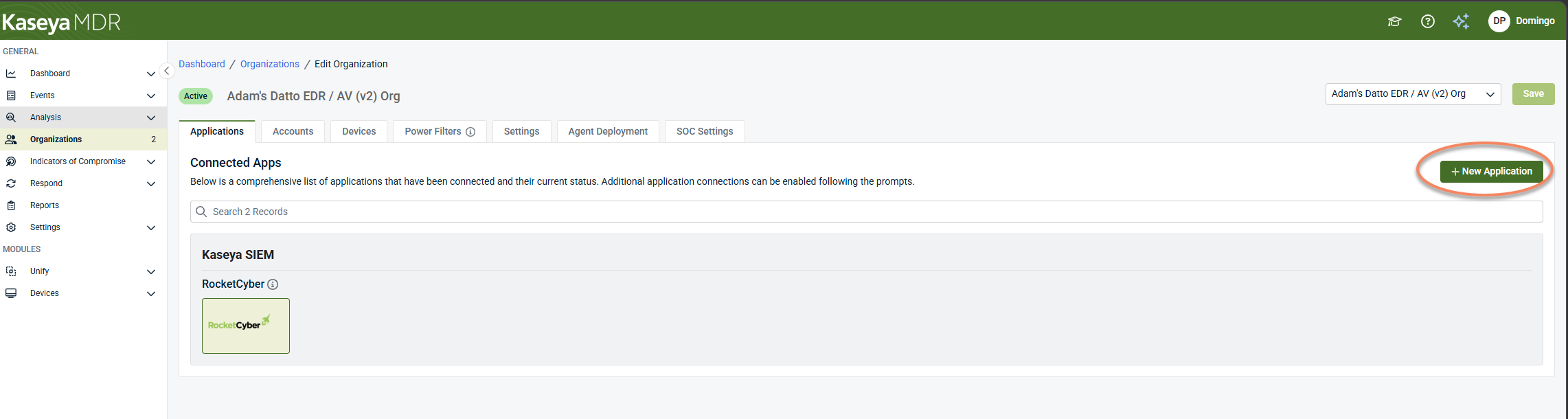
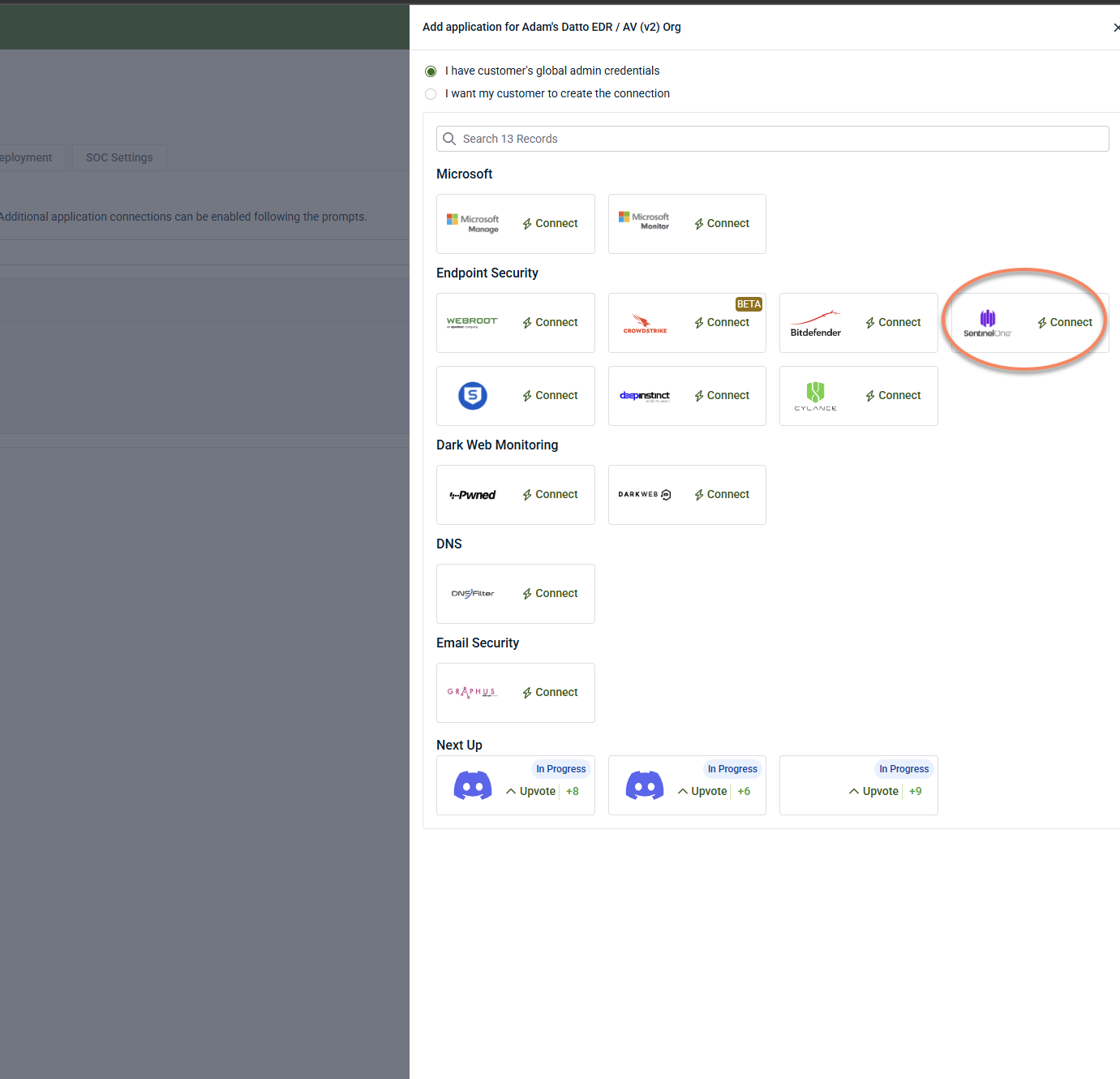
Click + New Application.
-
Select SentinelOne.
-
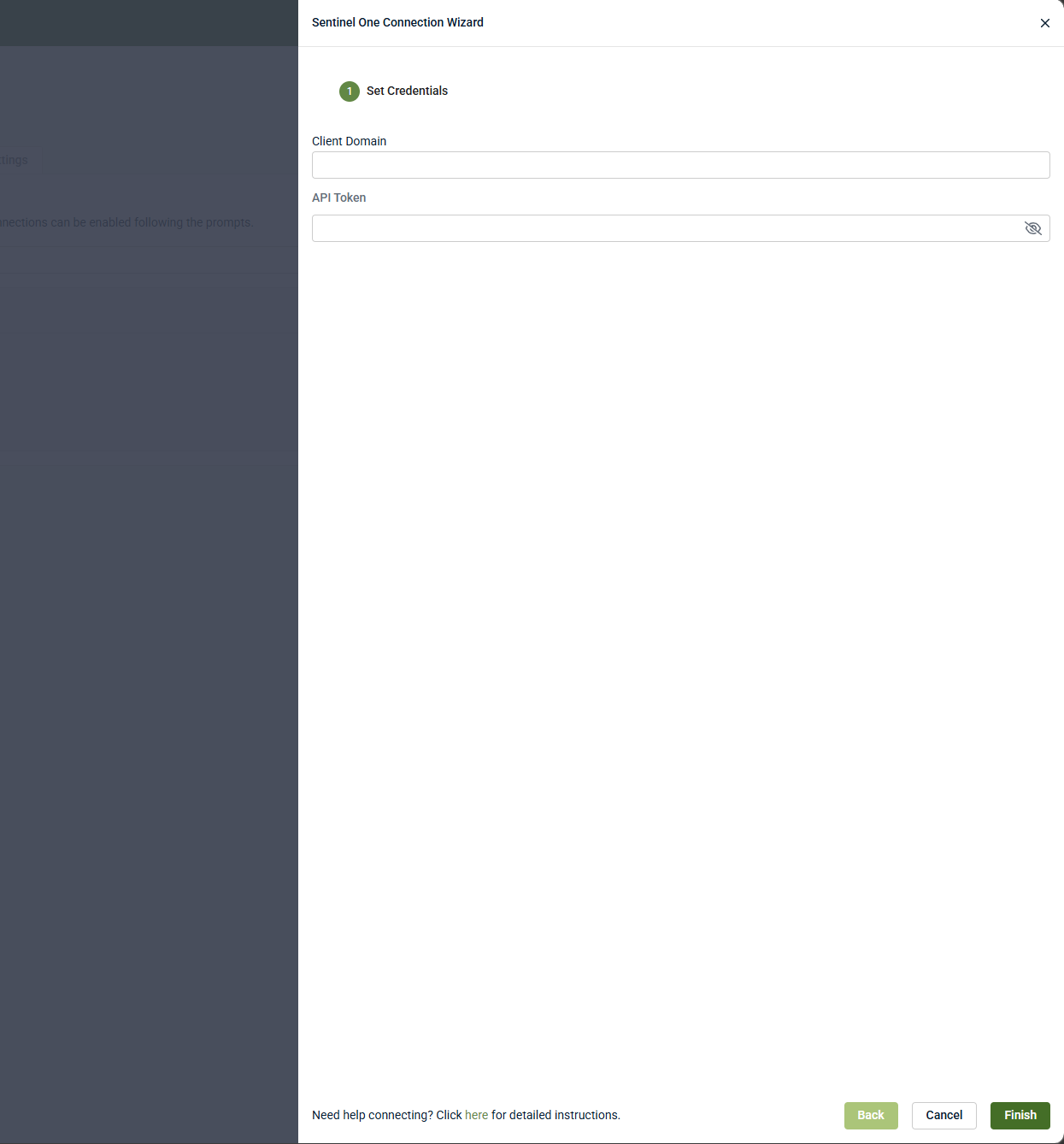
Enter the following:
-
API Token (from SentinelOne; see Set up the integration in SentinelOne)
-
API URL (SentinelOne domain; see Locate the SentinelOne API domain)
-
-
Click Finish.
Set up the integration in SentinelOne
This integration also requires setup in SentinelOne. Complete the following steps:
-
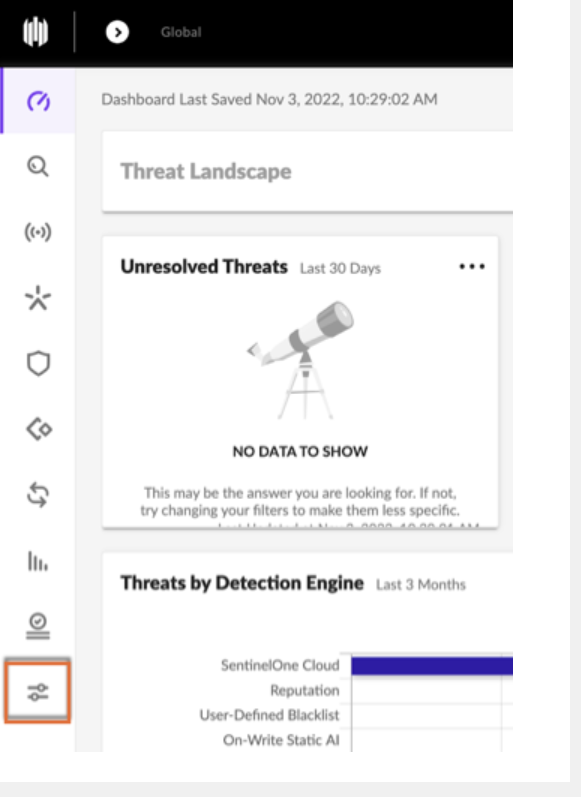
Log in to the SentinelOne Cloud console.
-
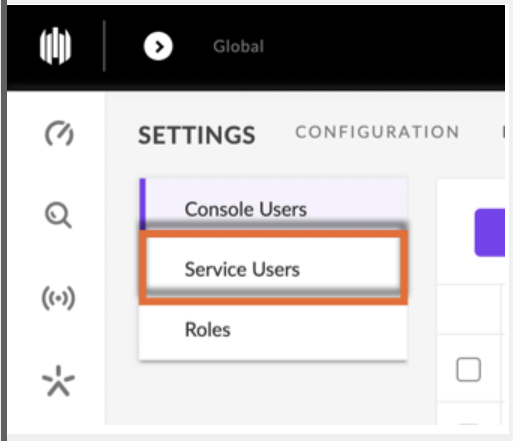
Click Settings.
-
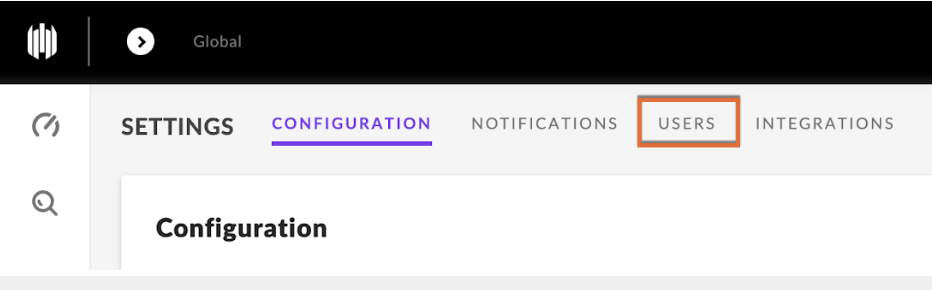
Select the Users tab.
-
Click Service Users.
-
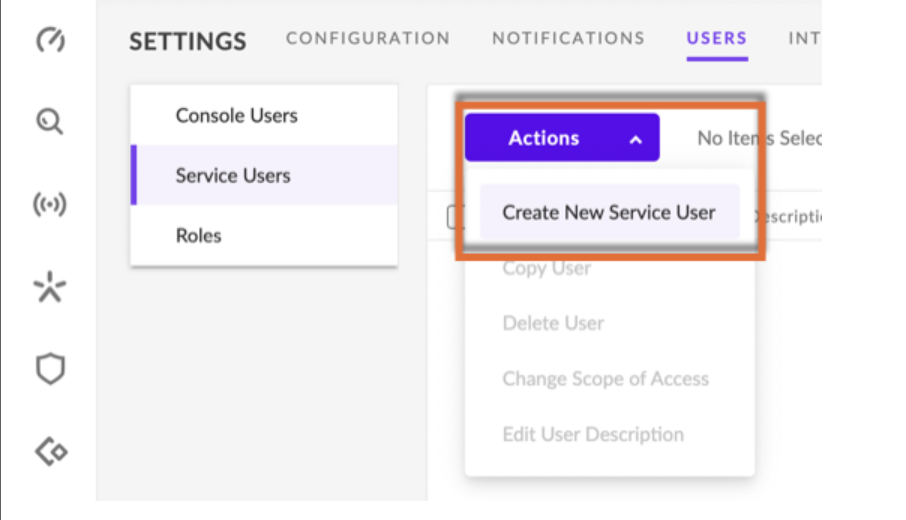
Click Actions > Create New Service User.
-
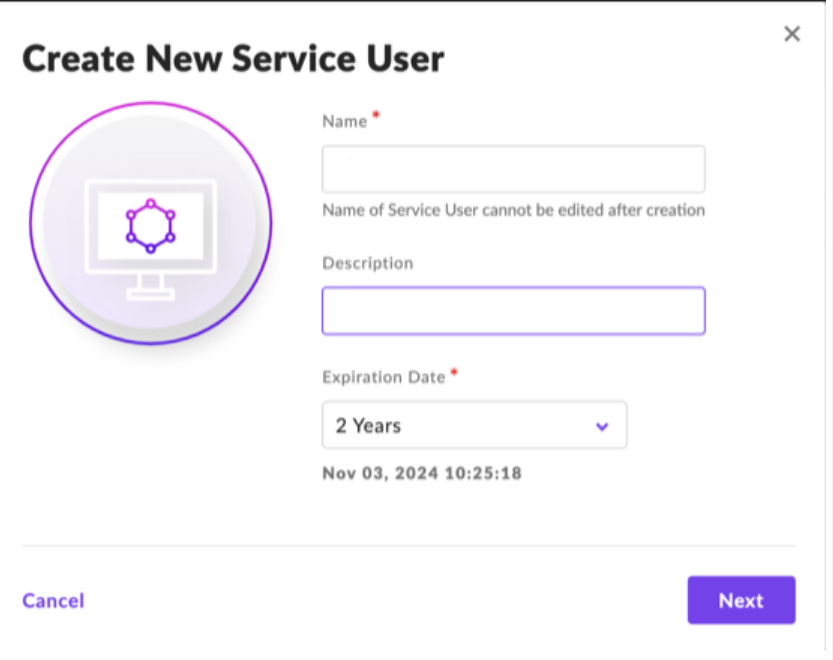
Enter a Name, Description, and Expiration Date, then click Next.
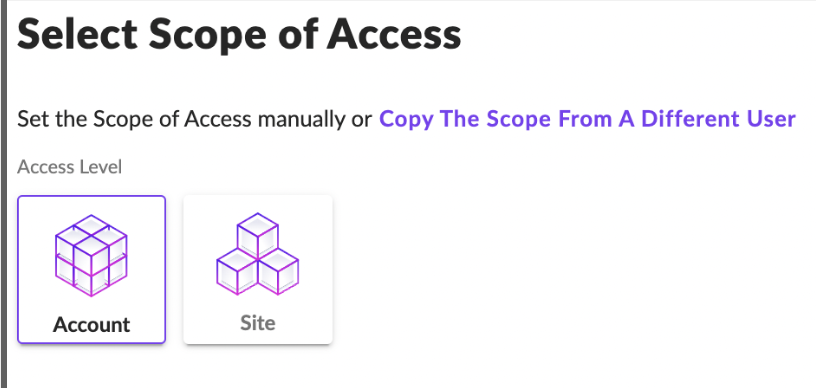
Configure the Scope of Access:
-
For multiple customers: select Site and choose the customer site
-
For a single environment: select Account and choose the account
7. Click Create User.
8. Copy or download the API token.
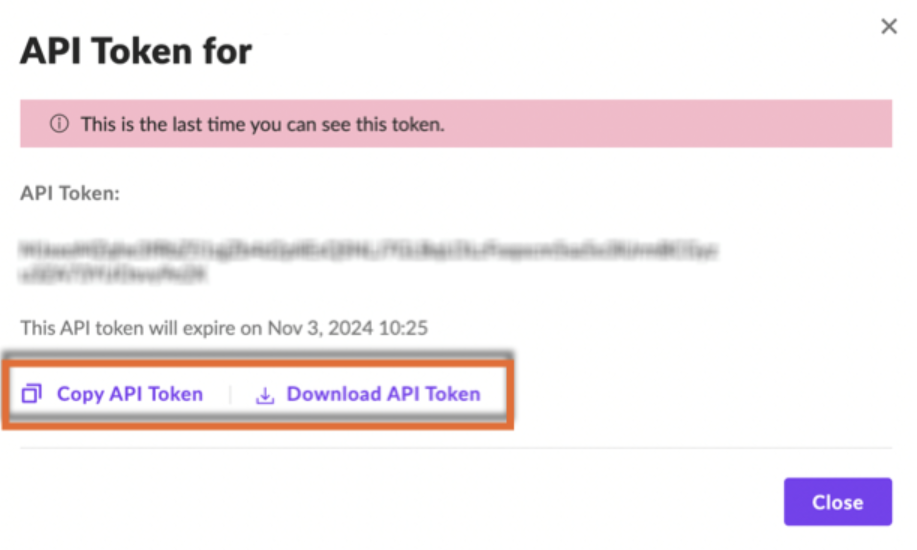
IMPORTANT Document and store the API token value carefully, as it cannot be retrieved later.
Configure additional functionality
Locate the SentinelOne API domain
In SentinelOne, locate the URL used to access your console (for example: https://usea1-.sentinelone.net).
NOTE Make sure to exclude any additional parts of the URL after (such as /dashboard or /console).
Use the base URL when configuring the integration in Kaseya MDR.
Disable the integration in Kaseya MDR
To disable the integration, complete the following steps:
-
In Kaseya MDR, go to Organizations.
-
Select the organization where SentinelOne is configured.
-
Click Edit Organization.
-
Locate the SentinelOne application.
-
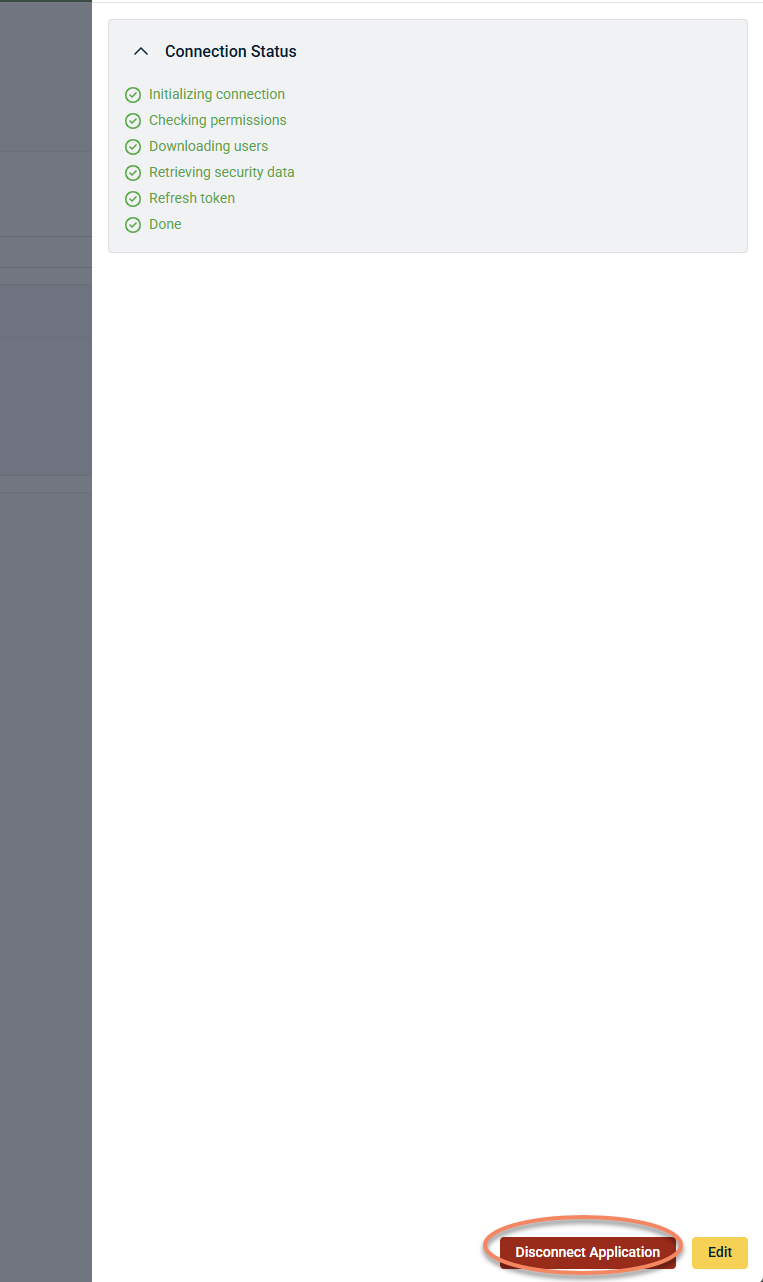
Click Disconnect Application.